Net Access
What we doWorkAppsInsightsAboutContactStart a conversation020 8638 6614contact@netaccessmarketing.com

Apps

We build apps.And we ship them.

We design and build iPhone and Android apps and the web platforms behind them. Design, build, store submission and care, by one team in London.

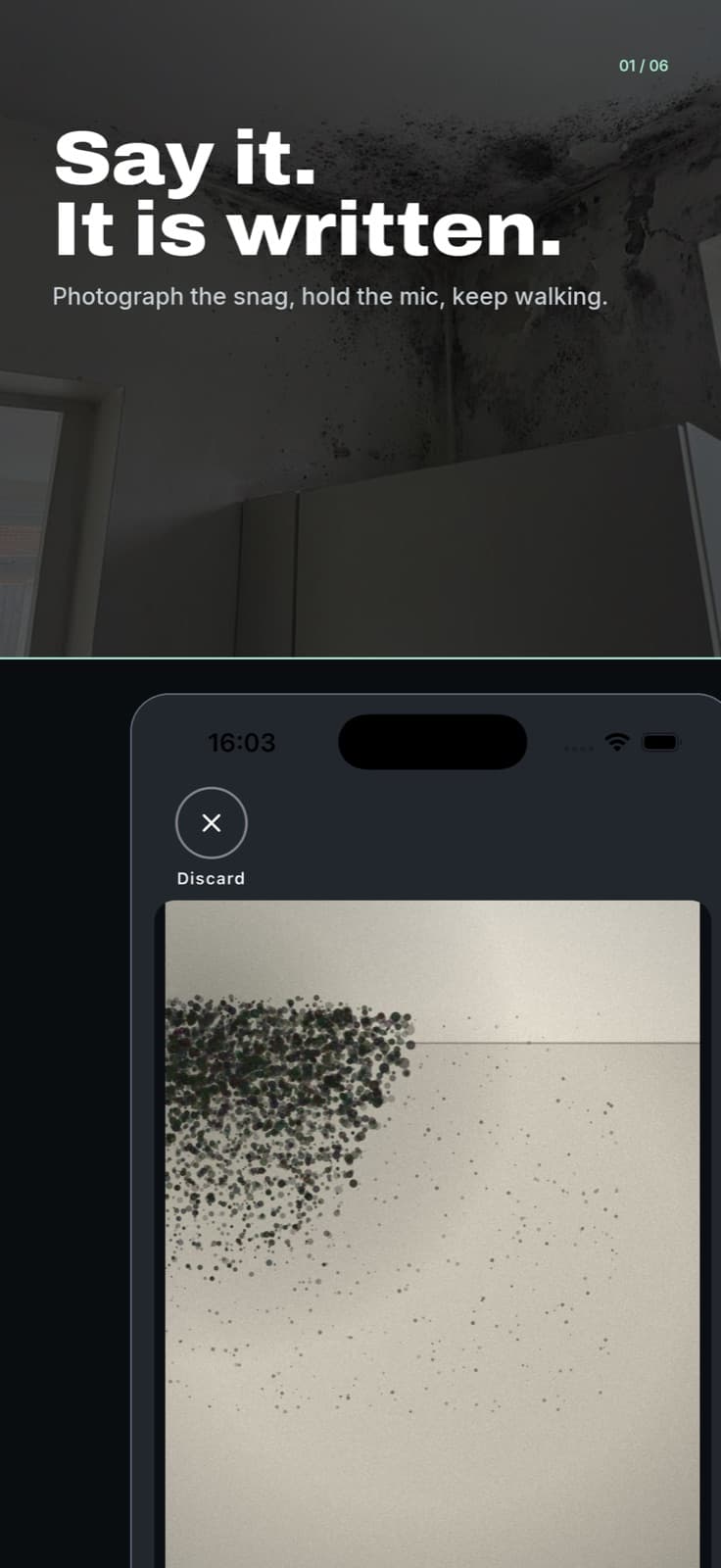
SayScope store screenshot. The headline reads: Say it. It is written. Under it, an iPhone holds a photograph of a mould patch on a wall.

Featured. Live on the App Store.

Say it. It is written.

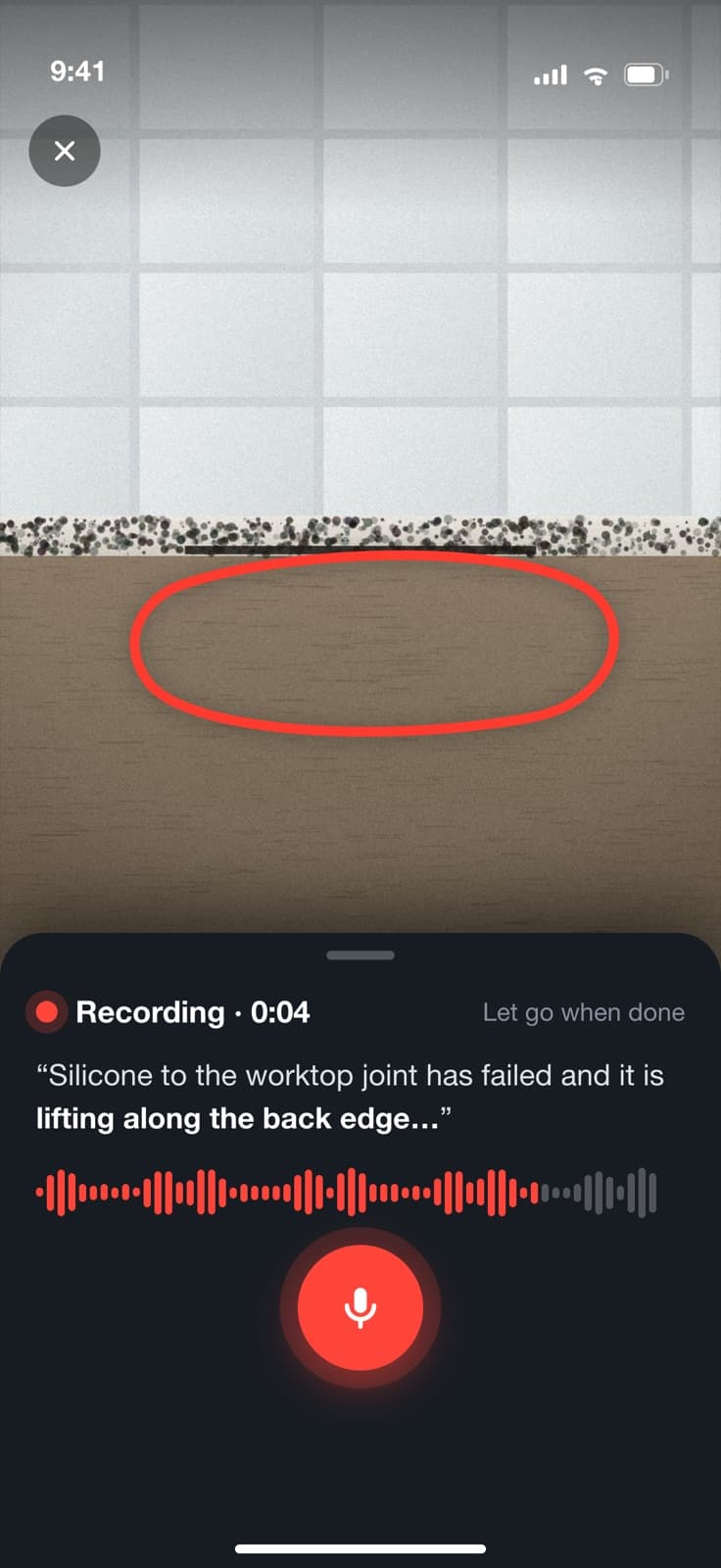
SayScope turns a site visit into a report. Walk the property, photograph the snag, hold the button and say what is wrong. Keep walking. The AI writes the snagging list, the scope of works for the trades and the client report. You review it, edit it and send it from the van.

Category
Business
Works on
iPhone, iOS 16.4 or later
Languages
English and French
Price
Free, with in-app purchases

SayScope: AI Reports

Snagging lists & site visits

On the App Store

No iPhone to hand? Try it free in your browser

Version 1.0 went live on 17 September 2026. Version 1.0.1 followed on 19 September.

The shelf

Apps we designed,built and shipped.

Each one designed and built by our team, end to end. Tap one to look inside.

SayScope. Preview.

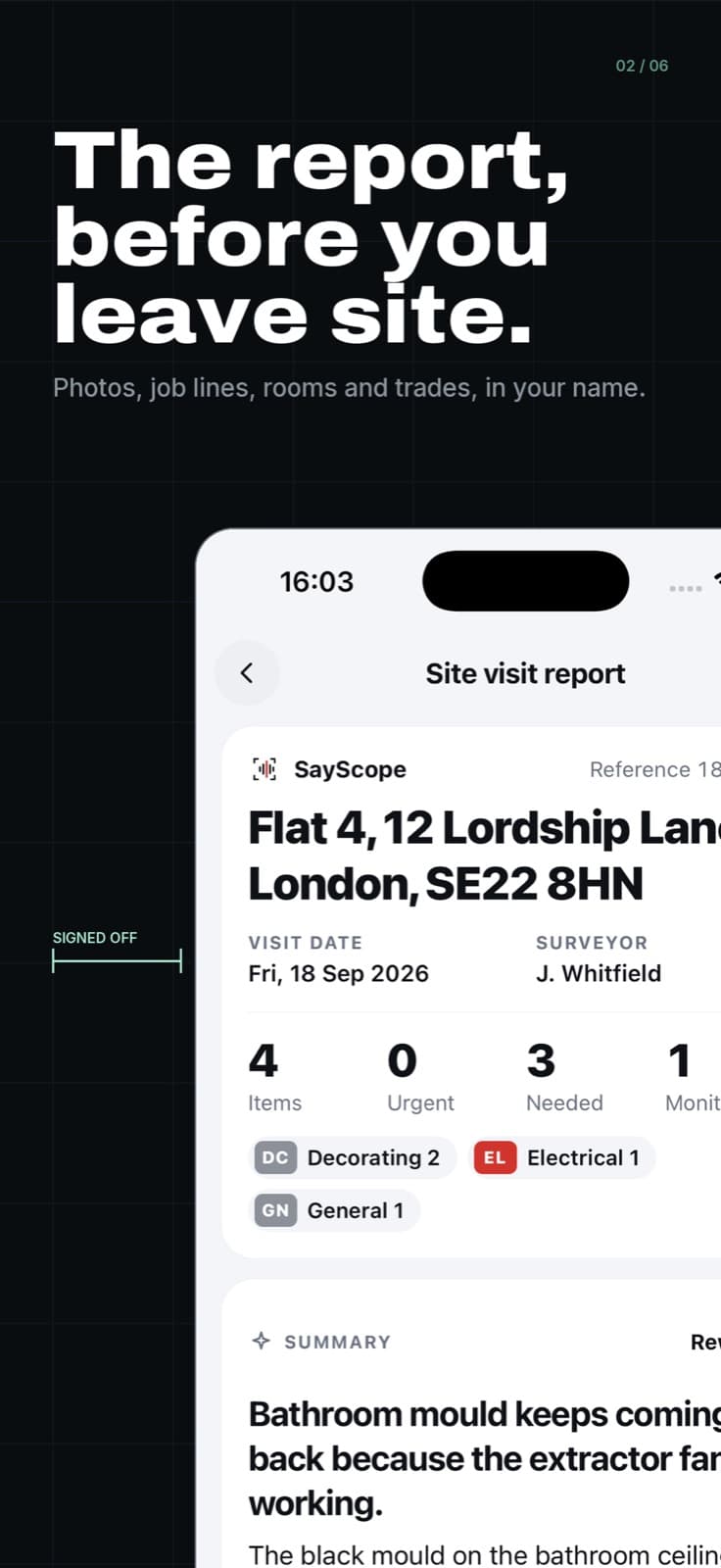
The report, before you leave site.

Built for builders, surveyors, property managers and landlords. Reports are grouped by area and by trade. It works with no signal and syncs later. The AI writes a draft. You have the last word on a review screen before anything is sent.

Hold the button. Say what is wrong.
SayScope store screenshot. The headline reads: The report, before you leave site. An iPhone shows a site visit report with the address, four items, a chip for each trade and a written summary.
The report is written before you leave site.
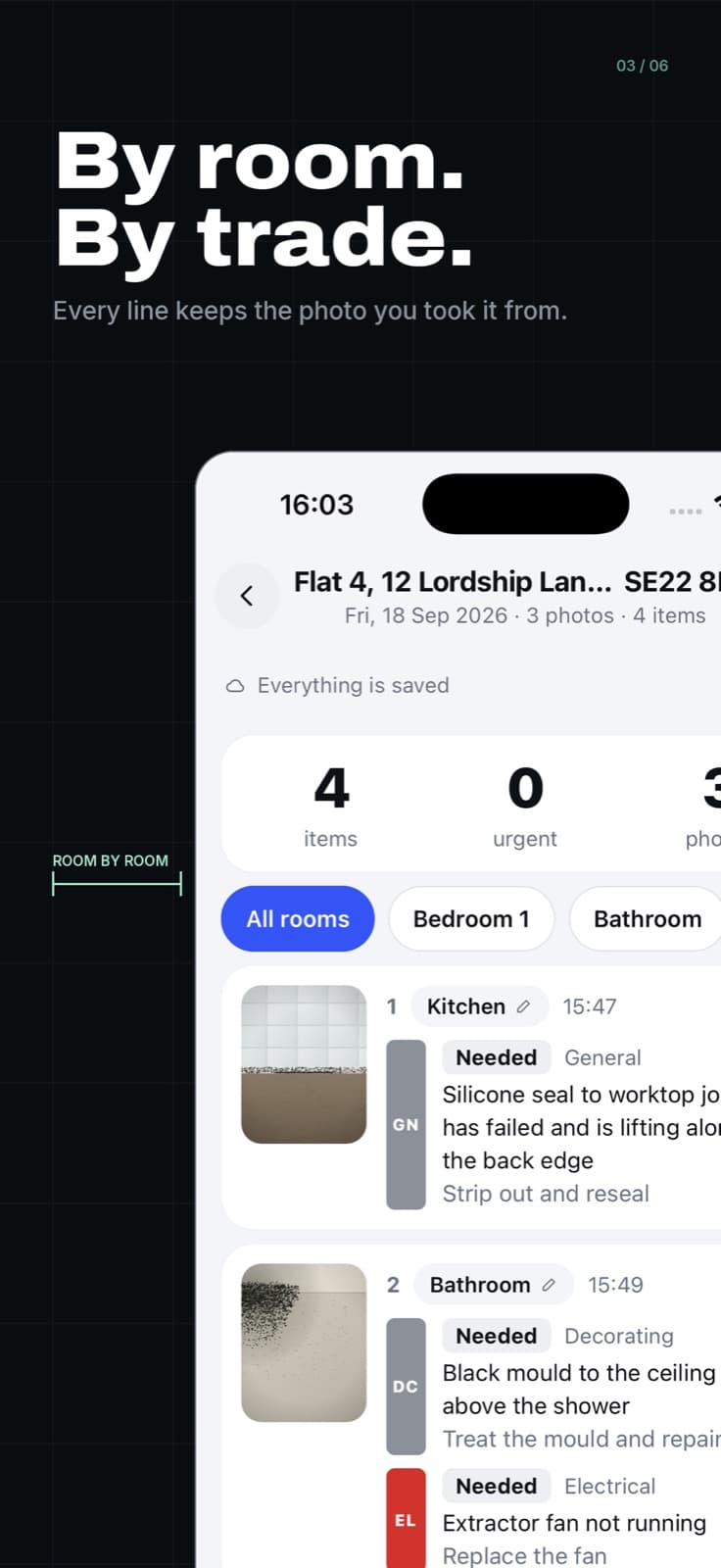
SayScope store screenshot. The headline reads: By room. By trade. An iPhone shows job lines for a kitchen and a bathroom, each with its photograph and its trade.
By room. By trade. Every line keeps its photo.
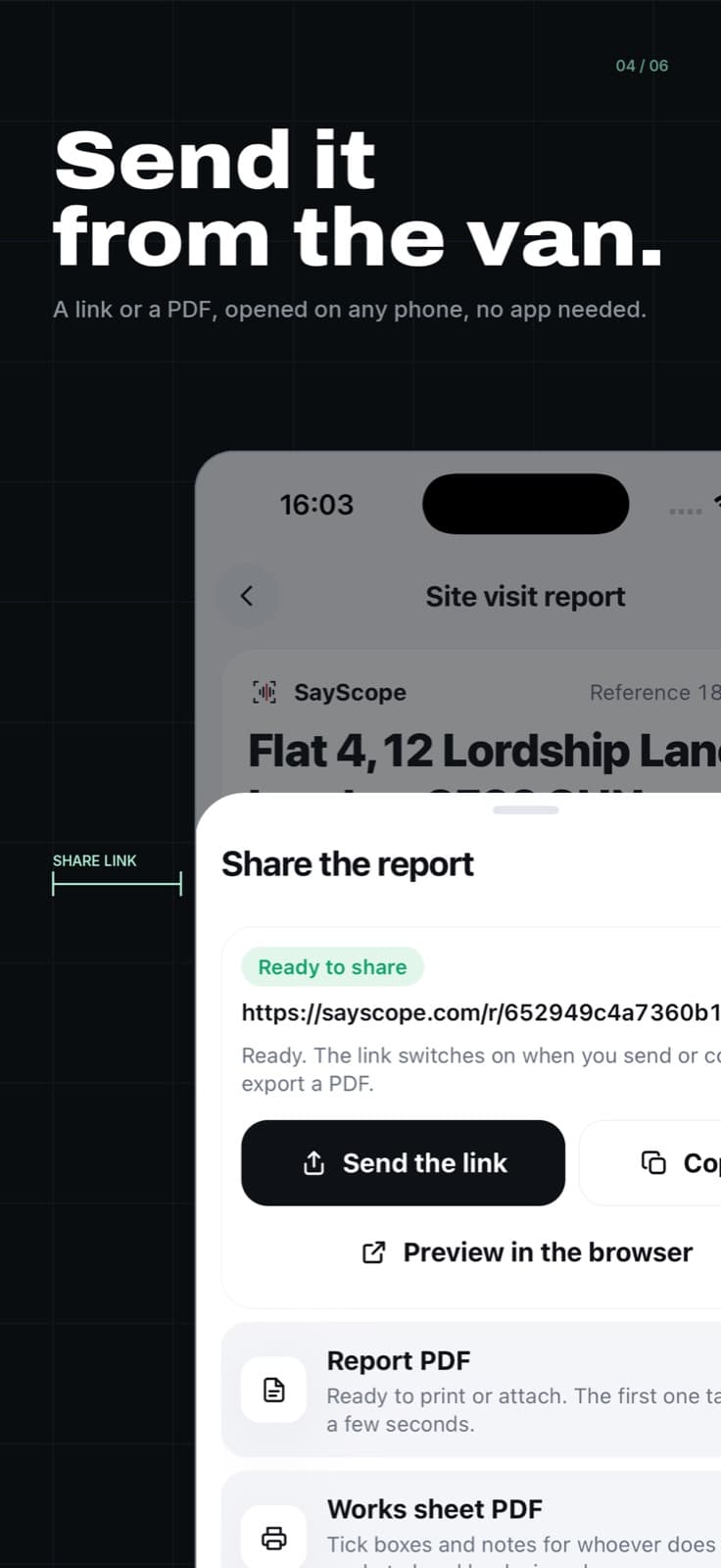
SayScope store screenshot. The headline reads: Send it from the van. An iPhone shows the share sheet: a link to send, a report PDF and a works sheet PDF.
Send it from the van. A link or a PDF.

Version history

  1. 1.0.119 September 2026. Three fixes from the first week on sale.
  2. 1.017 September 2026. First release on the App Store.

Under the bonnet

  • Native iPhone app
  • Next.js
  • Supabase: Postgres, row-level security, storage
  • Speech-to-text
  • Claude for extraction into job lines
  • Offline shell
  • Background upload queue
  • Print-ready A4 reports
  • Share links with expiring photo URLs
  • StoreKit in-app purchases
  • English and French

Orbit. Preview.

The stamp card lives in the Wallet.

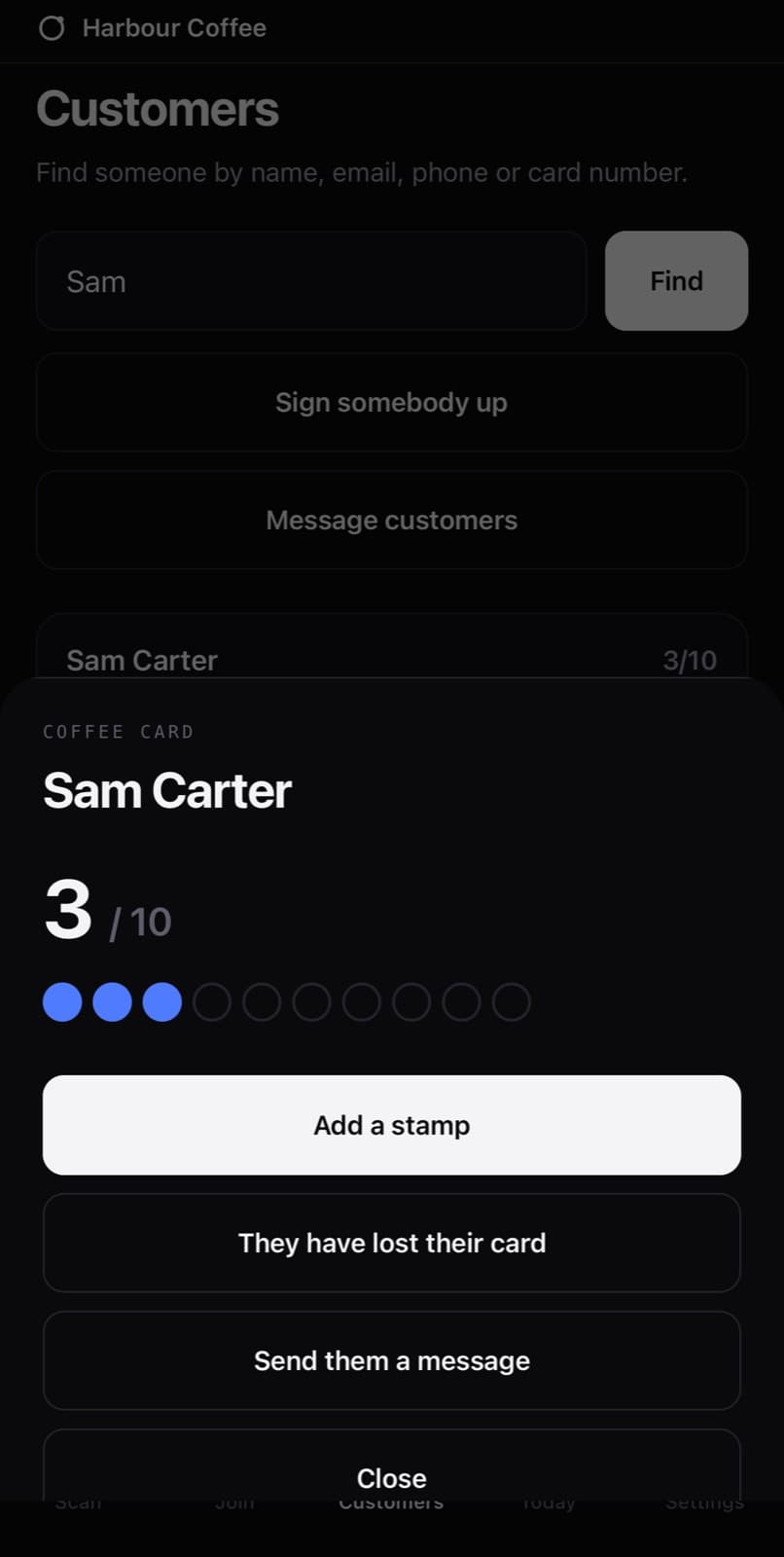
Orbit is a loyalty platform. The stamp card sits in Apple Wallet and Google Wallet under the business's own brand. Customers download nothing. Orbit Scan is the app behind the counter. Point the camera at the card, choose the stamps, tap Give. The card updates on the customer's phone moments later.

  • No signal, no problem. Stamps queue on the phone and are never counted twice.
  • Built for a shared counter phone. Staff tap their name and enter a PIN. Every stamp is recorded against the person and the branch.
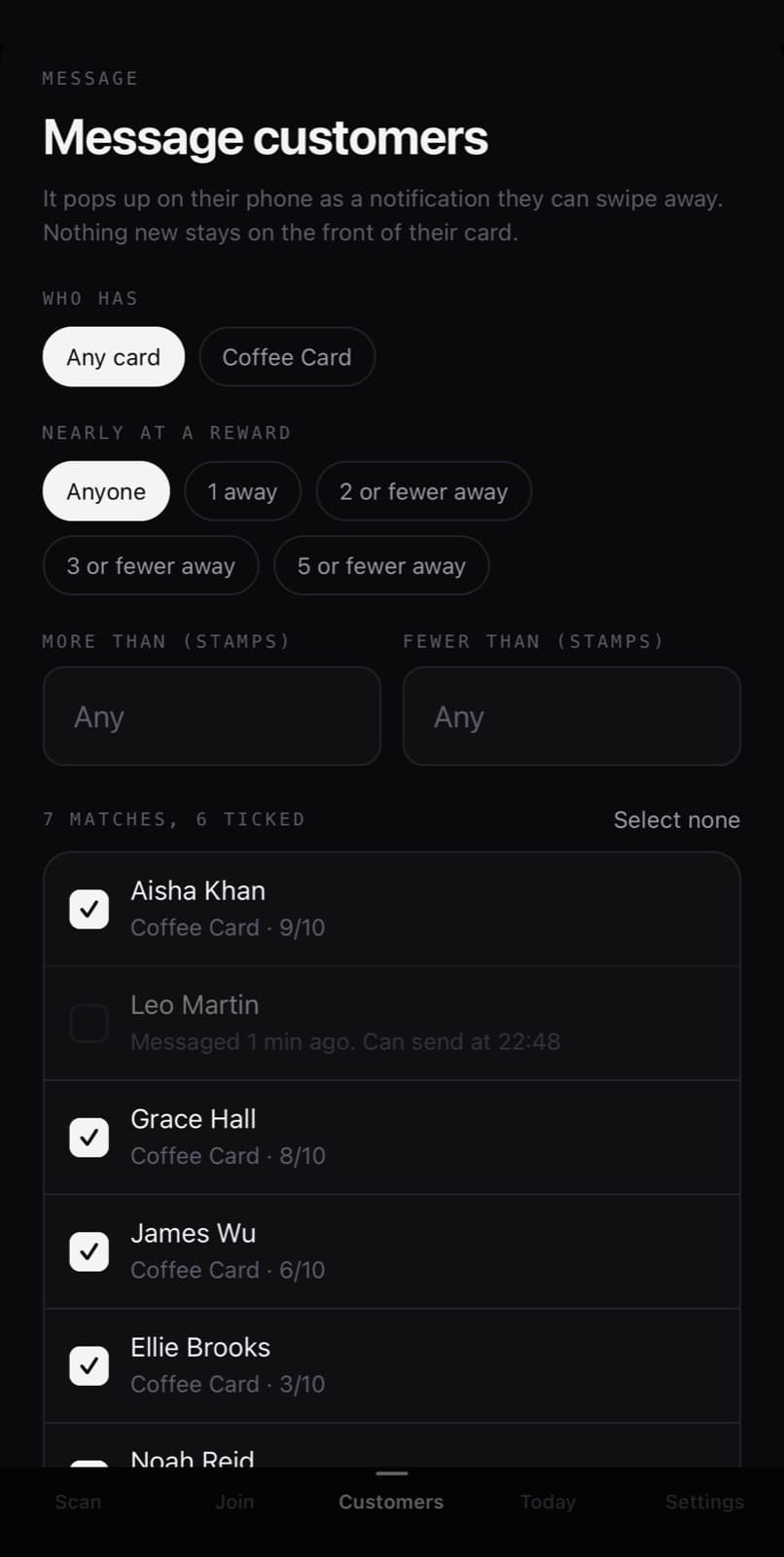
  • Messages are limited by design. Nobody gets more than one every 10 minutes, or three a day.
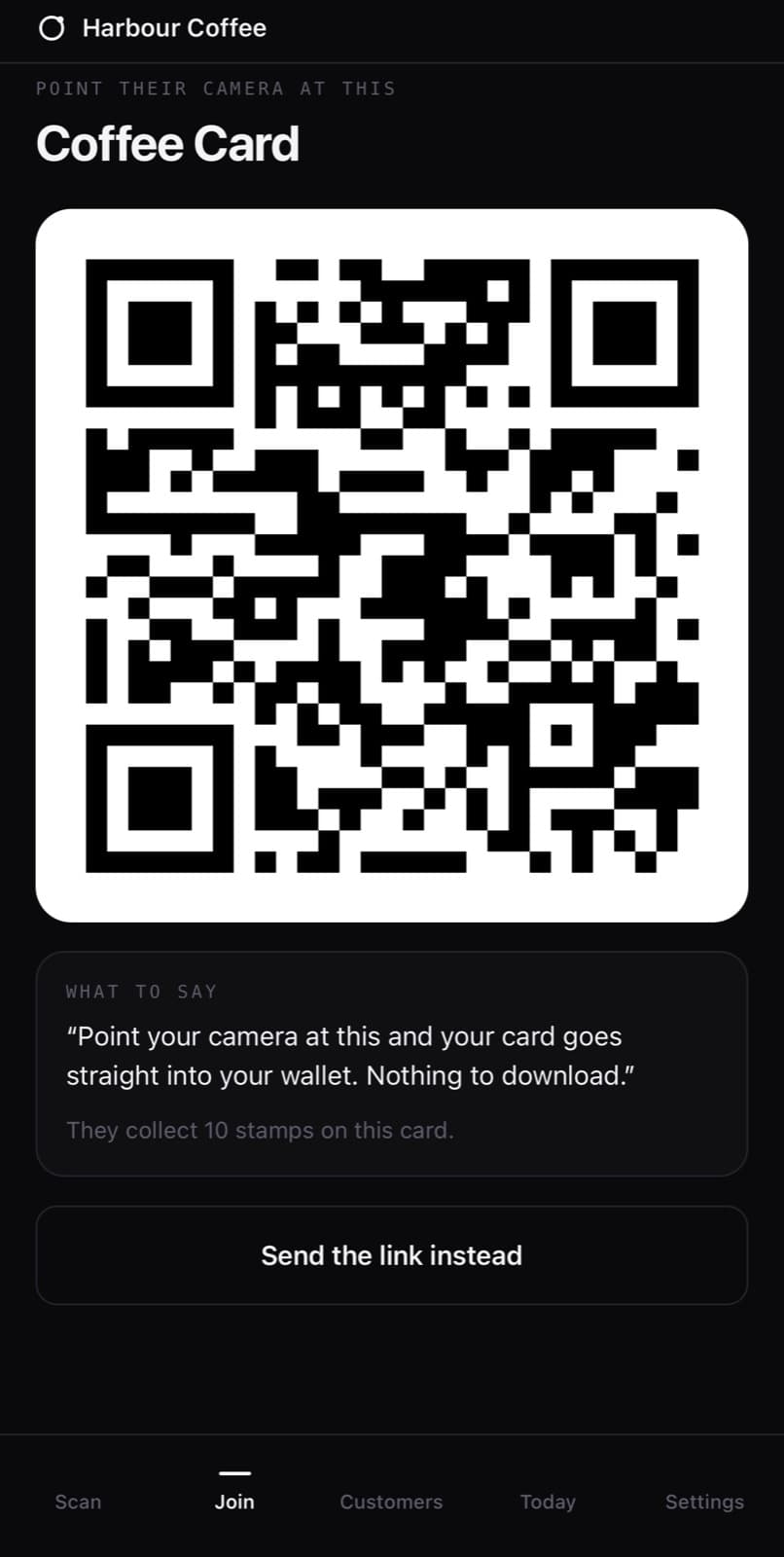
01 / 04Join in one scan.They point a camera at the code. The card goes into their wallet. Nothing to download.
02 / 04Add the stamp.Find the customer, add the stamp, and their Wallet card updates.
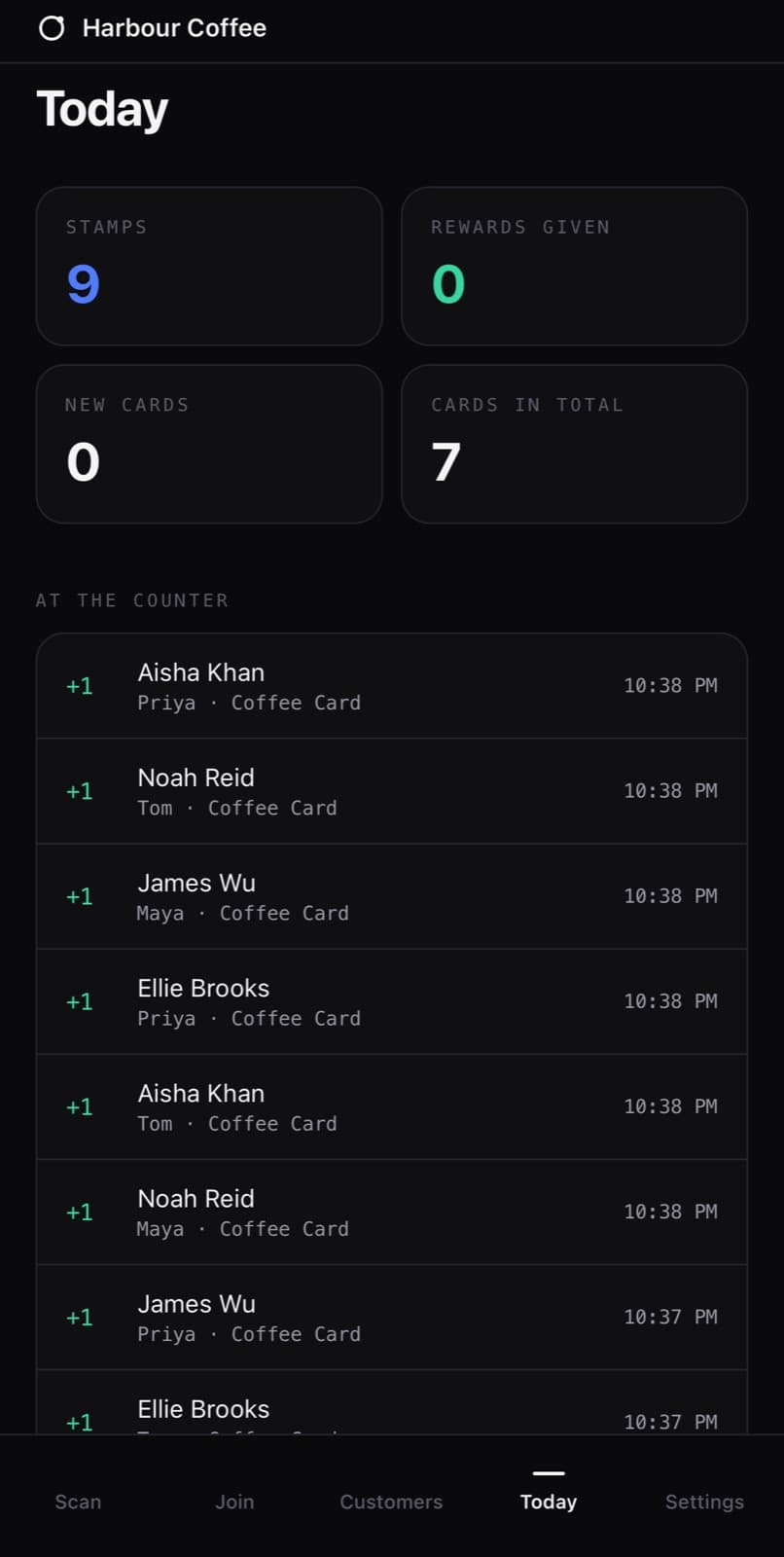
03 / 04Who gave what.Today at a glance. Every stamp against the member of staff who gave it.
04 / 04Message the regulars.Filter by card, by closeness to a reward, or by stamp count.

Where it runs

Cards
Live in Apple Wallet and Google Wallet, under the business's own brand.
Platform
Live at orbitloyalty.app.
Staff app
Orbit Scan, built for iPhone and Android.

Under the bonnet

  • Expo / React Native
  • Apple Wallet and Google Wallet passes, signed and pushed by the platform
  • Supabase
  • Next.js dashboard
  • Offline queue with idempotent sync

Live at Golden Scissors, a London barber.

More from the studio

Two more,live on the web.

A CRM that runs a contractor's whole business, and a business game with 543 voice lines.

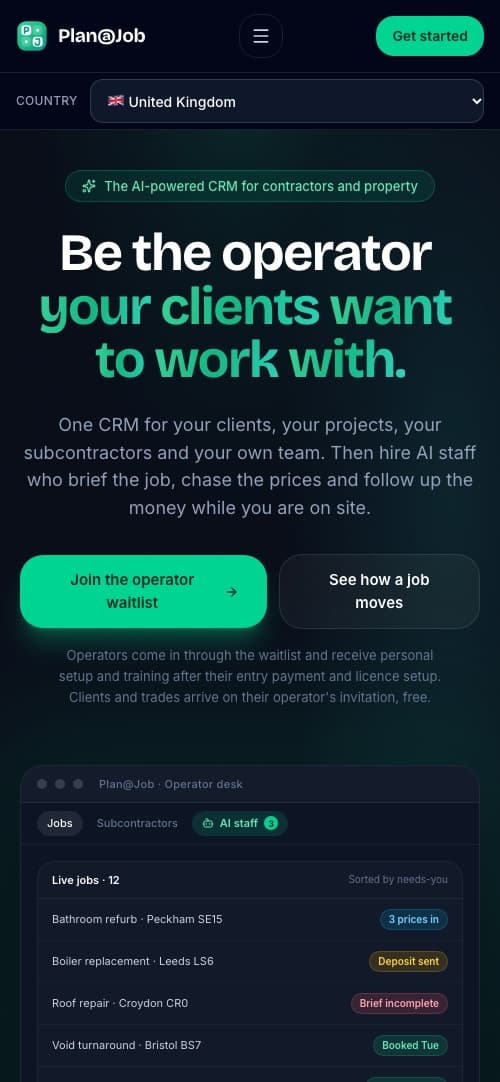
Shown: the web platform on a phone.

Plan@Job

The AI CRM for contractors, projects and property

One CRM for clients, projects, subcontractors and the team. AI staff brief the job, chase the prices and follow up the money. Every trade gets a profile and documents, and nobody gets a job until an admin approves them. The web platform is live, and its site runs in eight country editions: UK, US, NL, DE, AU, NZ, CA and ZA.

Visit planajob.com
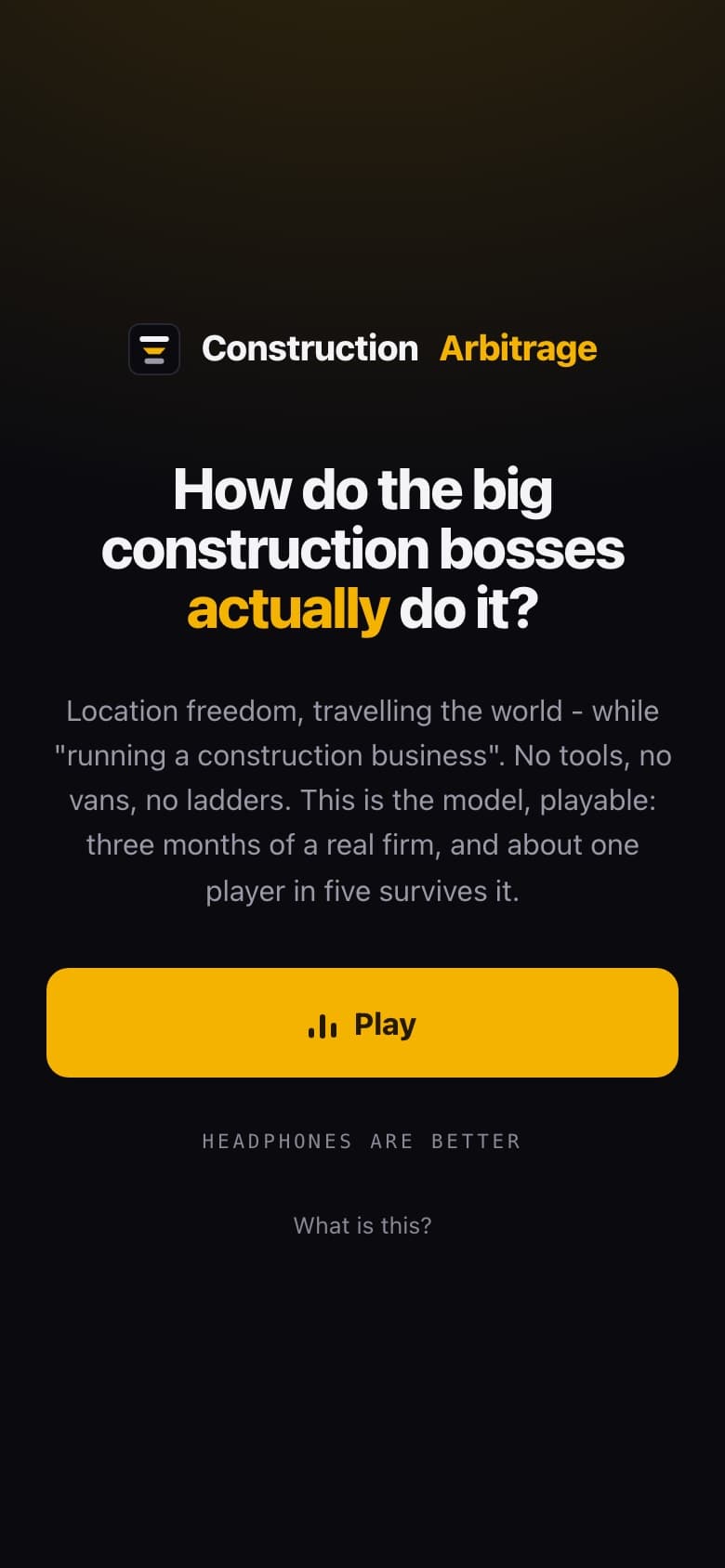
Shown: the opening screen of the game.

Construction Arbitrage

A game that teaches the construction arbitrage model

Win the client, subcontract the work, keep the margin. The game teaches the model, and you can play it on the web right now. The whole game is packed for the phone as well: the engine, the photos and 543 voice lines, so it runs with no signal.

  • Engine
  • Photos
  • 543 voice lines
  • Runs offline
Play it on the web

Building now. In beta.

The first app we built to be the boss of its owner.

Most to-do lists wait for you. HitDone does not. It gives you one mission at a time and a countdown. It reads your meals from a photo and picks your kilos from your last sets. If you ask it to, it locks the screen at prayer time until you have prayed. Tell it it is wrong and it re-plans the whole day around you. It is in private beta. We build it in the open, every day.

  • One mission, one countdown.
  • Locked at prayer time.
  • It knows your bench press.
  • Dinner, read from a photo.
  1. It locks your phone at prayer time. You asked it to.
  2. Show it your dinner, it logs the protein.
  3. Tell it it's wrong and it re-plans your whole day.
  4. It knows your bench press.
  5. Say pain once. Next time it goes 30% lighter and offers another exercise.
  6. One mission at a time, on a countdown. Finish on time and the XP is 25% higher.
  7. Bedtime is set in the morning. An hour before, it comes for you.
  8. There is no chat box. An AI keeper reads every tap and every photo, and the dashboard changes shape.
  9. Built in public, shipped daily.

In private beta at hitdone.app.

What we specialise in

Software yourAI can run.

The future is not another dashboard. It is telling an AI what you want and letting it work inside your software. We build software that way: its actions open to Claude, ChatGPT and the assistants that come next, behind a wall that keeps it safe.

We did it to our own product first. Plan@Job, our CRM for contractors, runs from a chat.

Plan@Job, from a chat
Connected

Which quotes went out last week with no answer? Chase them.

Four quotes have had no reply since last week. I have written a follow-up for each one.

Ready to send4 messages
  • Kitchen refit, quote
  • Roof repair, quote
  • Boiler replacement, quote
  • and 1 more
Confirm and sendNothing is sent until you confirm.
An illustration of asking Plan@Job for something through an AI assistant.
  • 500+

    actions you can ask for

    What you do by clicking in Plan@Job, you can do by asking.

  • Yours

    permissions, nothing more

    The AI acts as the person signed in. It sees what they can see.

  • Yes first

    before it sends or spends

    Anything that sends, spends, approves or deletes waits for you.

  • MCP

    the open standard

    One connection for Claude, ChatGPT and other AI assistants.

How an app ships

Six steps.You watch every one.

This is how SayScope and Orbit went. It is how yours goes.

  1. 01Scope

    Discovery

    We write down what the app has to do, who uses it and what would get it rejected. You get a scope you can hold us to.

  2. 02Design

    Screens signed off

    Every screen is designed and agreed before we build it. You approve what you will get, not a description of it.

  3. 03TestFlight

    Preview builds on your phone

    You install the app while we are still building it. TestFlight on iPhone, internal testing on Android. You tap it, you tell us, we change it.

  4. 04Review notes

    App Review

    We submit with review notes and demo accounts, so the reviewer can get in and see everything. We have been through Apple App Review and we know where apps get stopped.

  5. 05Live

    Release

    Approved, then live. Your name on the listing, your accounts, your data.

  6. 06Monthly

    Care plan

    Updates, monitoring and store compliance, every month. Stores change their rules. An app nobody looks after falls behind them.

Under the bonnet

What goes intothe apps we build.

The hard parts are already running in our live products. Your app starts from there.

Running in our live apps

Proven
  • Camera and voice capture
  • AI that turns photos and speech into structured documents
  • Apple Wallet and Google Wallet passes
  • Push notifications
  • Offline queues that never count twice
  • Shared-device staff PINs and audit logs
  • In-app purchases and subscriptions
  • English and French, and multi-country editions
  • Postgres with row-level security
  • Admin dashboards
  • PDF reports and share links
  • AI staff inside a CRM
  • A connection AI assistants can use (MCP), with a confirm step before anything is sent
  • Payments
  • Real-time updates

What we build for you

Your app
  • Live maps and tracking
  • Rider and driver apps, with dispatch
  • Card and mobile money payments
  • Identity verification
  • City and fleet dashboards

Built on the same foundations as the list beside it: real-time updates, payments, offline queues, staff accountability and admin dashboards, taken through the same store review.

  • Next.js
  • Expo / React Native
  • Supabase
  • Postgres
  • StoreKit
  • Apple Wallet
  • Google Wallet
  • Claude
  • Service worker

Last thing

Tell us what the apphas to do.

We will tell you how we would build it, what it takes to get through review, and what it costs to keep it healthy. Whether or not you hire us.

Start a conversation